| Fidget Pi |
| Learning to spin with RL, Raspberry Pi, and Fidget Spinner |



|
| Fidget Pi |
| Learning to spin with RL, Raspberry Pi, and Fidget Spinner |
|
|
During the time I was learning basics of Reinforcement Learning, I always wanted to do something more than CartPole simulation or Atari Breakout. I believe thinking about design and implementation of an environment and reward function is at least as important as solving a problem with an off the shelf algorithm. So, I designed and implemented a real physical world environment, defined a goal, my own reward function, and then used Deep Q-Learning to solve it.
So, the goal was to teach a Raspberry Pi to spin a fidget spinner using electromagnets. The basic concept is similar to a stepper motor but with no controller. The RL model is to learn how to control it.
Goal:
The goal is to spin the fidget spinner 50 revolutions in clockwise direction as fast as possible (starting from a stationary state). An "Episode" ends if we reach the goal or otherwise after 1000 time steps.
Observations:
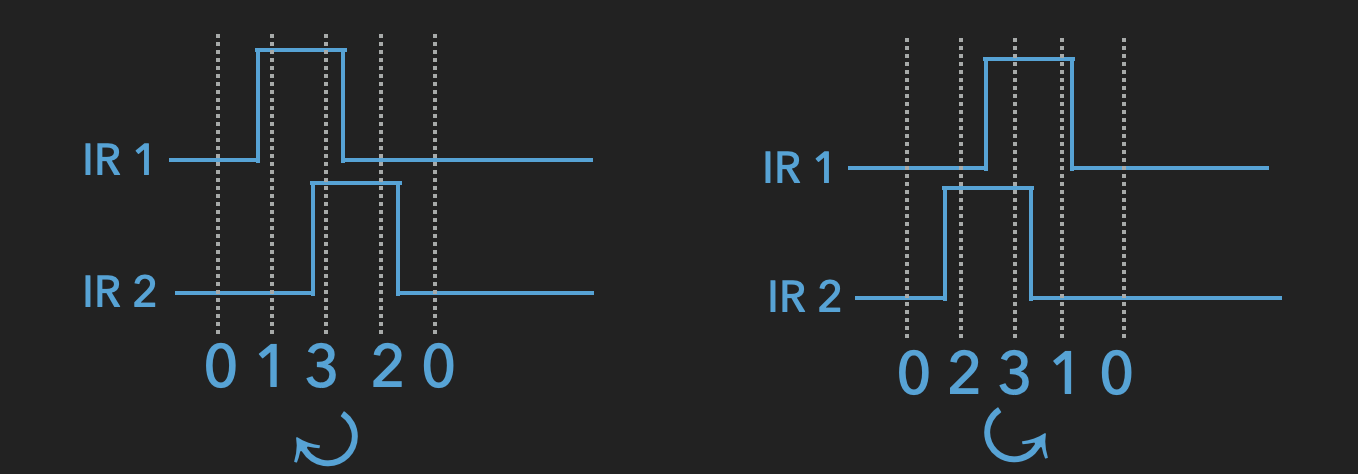
I used Infrared sensors to detect current position of the spinner. To be able to also detect the direction of movement we need two of these IR sensors. When the spinner passes by the sensor, we get a digital pulse. There is a phase difference between the sensors to help detect the direction of movement. The actual state used by the RL algorithm is a 6D vector containing the 4 most recent readings of IR states, the last action taken, and the direction of rotation.
Actions:
There are 3 possible actions in each time-step:
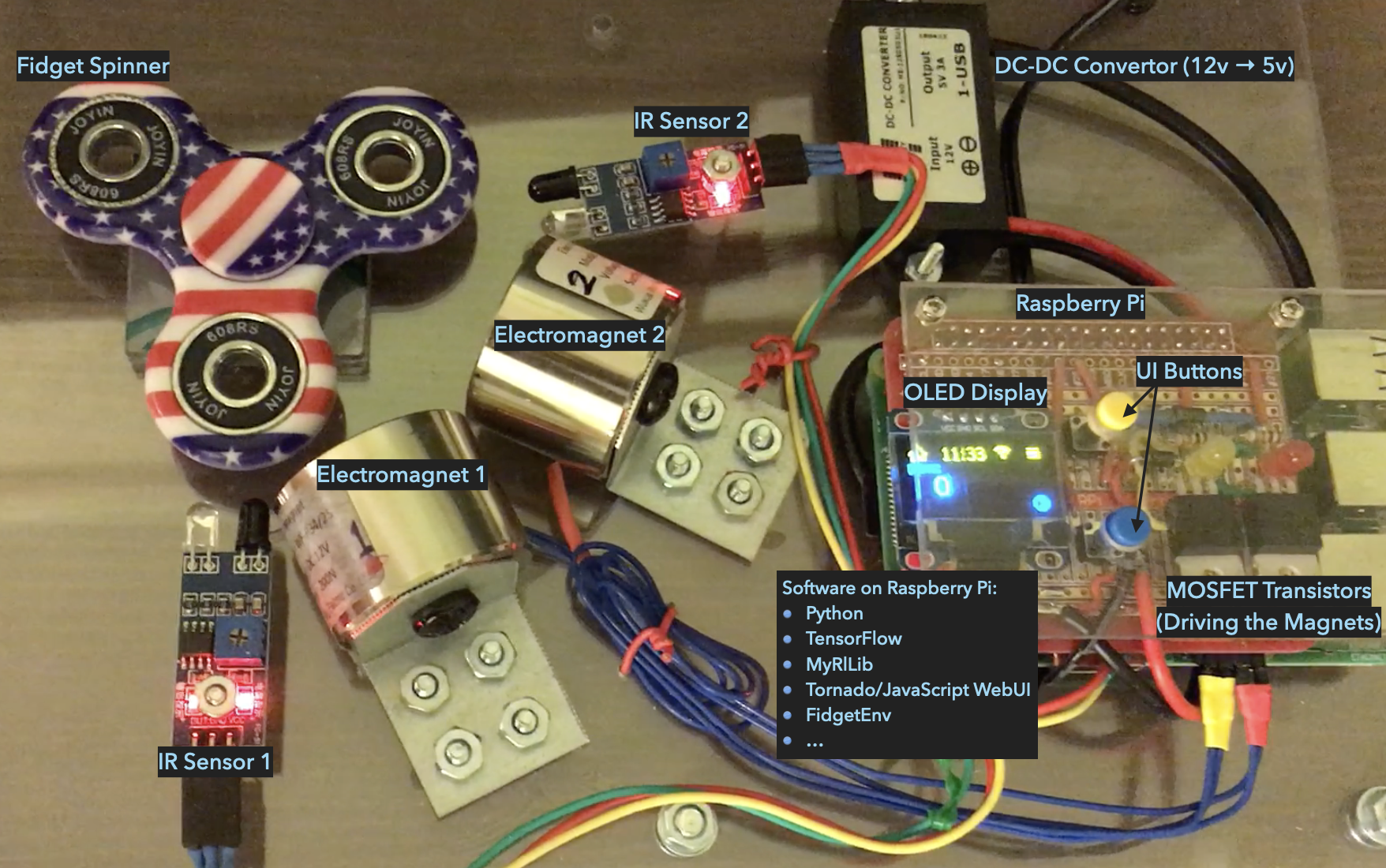
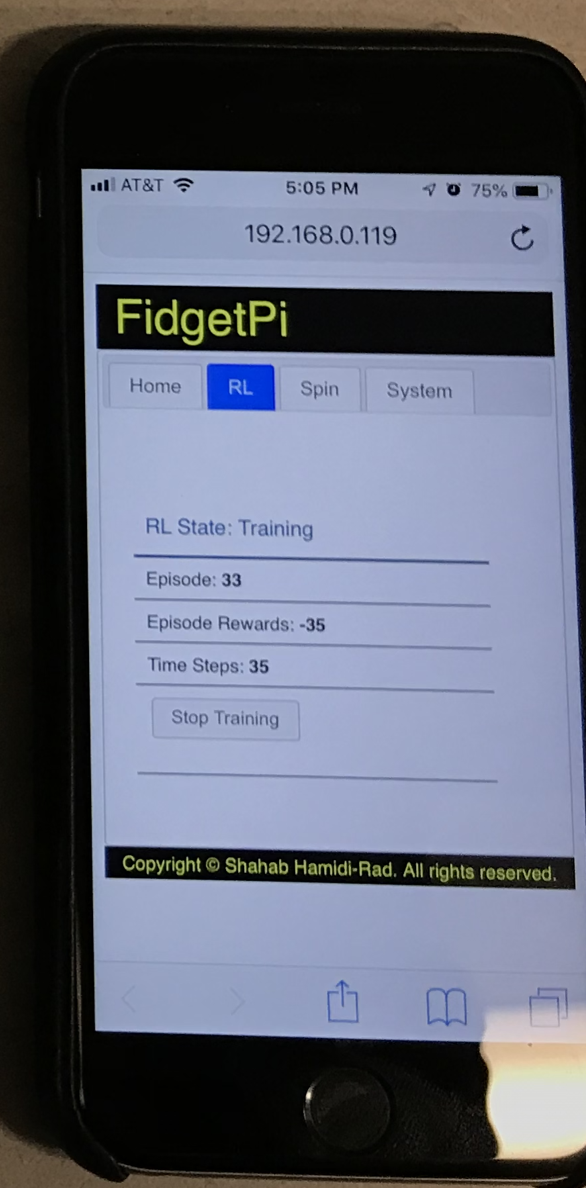
A Raspberry Pi was used to control the system. I used a couple of power Mosfets to drive the two electromagnets and two IR sensors to detect the spinner movements. The whole training and inference processes can be controlled using the onboard user interface which includes 2 buttons (up/down) and an OLED display. The software is made up of TensorFlow, my RL python library, and a python web server program to allow controling the system from a web user interface (see the image below).
Here is a demonstration of the training process: